


Google+ on Mobile: How to Block a Person - Tips & Tricks


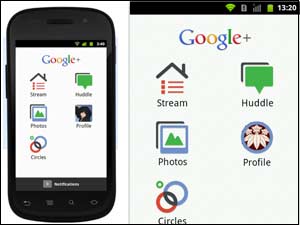
Users can block people that you don't want to interact with on Google+ mobile. It helps you to block people whom you feel unimportant to you or the person whom you want to keep away from your life! So, now it's easy for you to block your ex-girlfriend or even your office boss!
To block a profile:
*Visit the profile you want to block.
*Touch Menu > Block this person.
When you block someone, the following happens:
* You won't see their content in the stream (even though you'll remain in their circles).
* They'll be removed from any circles of yours that they appear in.
* They won't be able to add you to additional circles.
* They won't be able to comment on your content that was posted after they were blocked.
* They won't be able to mention you in posts or comments.
* They won't be able to add you to a huddle.
Users can unblock a person by visiting their profile and performing the same steps.
Report a profile
Report someone's profile as abuse if you feel that it violates our Content Policy new window
* Visit the profile you need to report.
* Touch Menu > Report Abuse.
* Select the reason you're reporting the profile.
* Reporting abuse on a profile will immediately block the user
OneIndia News



 Click it and Unblock the Notifications
 Sign in with Google