Mukh Mantri Sehat Yojana Goes Digital: Punjab Beneficiaries Can Download ₹10-Lakh Health Card From Home


Beneficiaries of Punjab's Mukh Mantri Sehat Yojana (MMSY) can now access and download their health cards online, in a move aimed at making the healthcare scheme more convenient and accessible.

AI-generated summary, reviewed by editors
The State Health Agency (SHA), Punjab, has introduced the digital facility through its official portal. Eligible beneficiaries who have completed the required verification, including e-KYC and photograph authentication, can now obtain their health card without having to visit a centre solely for this purpose.
Once the verification process is complete, the health card can be viewed online and downloaded as a PDF. Beneficiaries can then store the document on their mobile phones or print a physical copy for future use.
How to Download the Mukh Mantri Sehat Yojana Health Card
The online process has been designed to be completed in three basic steps.
1. Find Your Family Record
Beneficiaries can search for their family details using any of the available identification options. These include the Family ID, Health Card Number, registered Mobile Number or Aadhaar Number.
2. Complete OTP Verification
After entering the required details, beneficiaries need to complete authentication through an OTP. The verification is linked to the registered mobile or Aadhaar details, providing an additional layer of security.
3. Download the Verified Health Card
Once authentication is successfully completed, the beneficiary can access the verified health card on the portal. The card can then be downloaded in PDF format and stored digitally or printed for use when required.
e-KYC Must Be Completed Before Downloading the Card
Beneficiaries should make sure their photograph-based verification and e-KYC have been completed before attempting to download the health card.
The digital process also enables beneficiaries to check the updated photographs of family members and complete the necessary authentication before the card is generated.
This verification step is important because downloading or accessing a card does not replace the mandatory authentication process. Beneficiaries must complete the required e-KYC to ensure that their records are properly verified.
What the Digital Health Card Means for Beneficiaries
The new facility is expected to make access to MMSY documents considerably easier, particularly for families who may otherwise have to make a separate visit to a centre to obtain their health card.
Under the Mukh Mantri Sehat Yojana, eligible families receive cashless healthcare coverage of up to ₹10 lakh per family every year.
While the scheme provides financial protection against significant medical expenses, the new digital card facility focuses on making the process of accessing these benefits simpler.
With the health card available on a mobile phone, beneficiaries can reduce paperwork, avoid unnecessary visits and keep the document readily available when healthcare services are required.
Beneficiaries Can Keep a Digital or Printed Copy
After downloading the card, beneficiaries can:
- Store a copy securely on their mobile phone
- Print the card and keep it with their important documents
- Share a copy with family members when necessary
- Present the card while seeking eligible healthcare services
- Punjab's Push Towards Easier Digital Healthcare Access
The introduction of online health card downloads is part of the broader effort to make Mukh Mantri Sehat Yojana more convenient for beneficiaries.
The combination of up to ₹10 lakh in annual family health coverage and easier digital access to health cards is intended to reduce administrative hurdles for families using the scheme.
By allowing beneficiaries to access their verified health cards remotely, SHA Punjab is placing greater emphasis on convenience, accessibility and easier delivery of healthcare-related services.
Use Only the Official SHA Punjab Portal
Beneficiaries are advised to access the health card service only through the official State Health Agency Punjab portal.
They should also remain cautious about sharing personal information and never disclose their OTP to another person during the verification process.


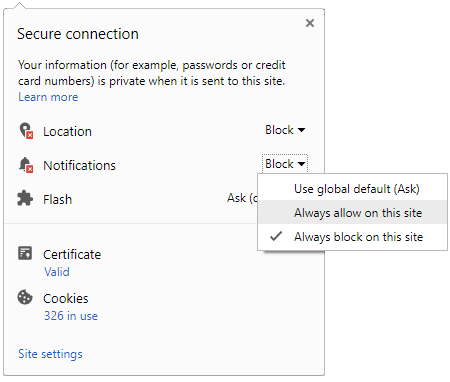
 Click it and Unblock the Notifications
 Sign in with Google