WhatsApp Users Get New Feature To Schedule Messages Even When Phone Is Switched Off


WhatsApp is working on a feature that will let users decide when a message should reach the recipient, instead of sending it immediately. The new option will allow users to draft messages and set a date and time for their delivery.
Announcing the update on November 25, the Meta-owned messaging platform described scheduled messages as one of the features users had been asking for. Messages can be set to go out between 10 minutes and 14 days after they are scheduled.
AI-generated summary, reviewed by editors

The feature may be useful for people who want to send birthday wishes at midnight, remind someone about an appointment or share a work-related message without having to be online at the time of delivery.
Users will be able to schedule messages in both personal and group conversations. The option will also support photos and videos, not just text. WhatsApp has not confirmed whether the feature will be extended to Channels.
The rollout will take place globally over the coming weeks. Users may have to wait until the update reaches their devices before they can start scheduling messages.
With this addition, WhatsApp is catching up with messaging services such as Telegram and Signal, which already allow users to schedule messages.
The announcement comes shortly after Kunal Shah took over as the platform's CEO. Shah has spoken about making WhatsApp easier to use, adding more artificial intelligence features and expanding its fintech offerings.
India remains WhatsApp's biggest market, with more than 500 million users. Globally, the platform has a user base of over three billion.
In an earlier statement, Shah said the company had been listening to users to understand what they expected from the app. He said the focus was on helping people stay connected and making it easier for them to get things done through WhatsApp.
How to schedule a message on WhatsApp
Once the feature is available on your phone, make sure you have installed the latest version of WhatsApp. You can then schedule a message by following these steps:
Open WhatsApp and enter the individual or group chat where you want to send the message.
- Type the message.
- Press and hold the send button.
- Select the date and time at which you want the message to be delivered.
- Confirm your choice.
The message will be delivered at the selected time and will appear in the recipient's chat like any other WhatsApp message.
Users will also be able to check their scheduled messages in one place. If they change their mind, they can delete a message before it is sent.
There is no need to keep the phone switched on until the scheduled delivery time. WhatsApp says the message will still reach the recipient at the chosen time even if the sender's phone is switched off or its battery runs out.
Privacy protection will also remain in place. Scheduled messages will use WhatsApp's end-to-end encryption, which means only the sender and recipient can read their contents. WhatsApp will not be able to read them either.


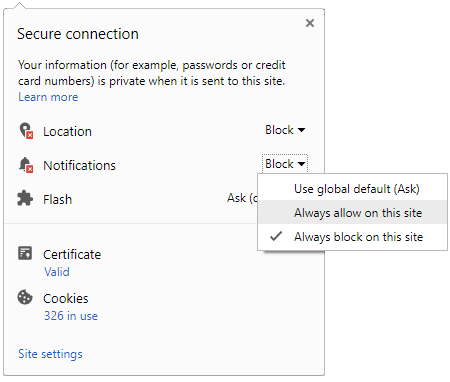
 Click it and Unblock the Notifications
 Sign in with Google