


Google Announces Big Update: Users Can Now Change Gmail ID Without Losing Any Data, Check Here


In a major update, Google is preparing to introduce a long-awaited feature that will allow users to change their primary Gmail address. This marks a big shift from the company's earlier policy, where Gmail IDs ending with "@gmail.com" were permanent and could not be modified.

AI-generated summary, reviewed by editors
The announcement has been welcomed by users who have long wanted to update old or unprofessional email IDs without creating a new account.
What the New Feature Means
With the new update, users will be able to choose a new Gmail address while keeping their existing account and data.
This means:
- Emails, Google Drive files, and photos will remain safe
- Linked services and account settings will stay unchanged
- Users won't need to create a new account to get a new email ID
This change is expected to make it easier for people to switch to more professional or updated email names.
Old Email ID Will Still Work
Even after changing the primary Gmail address, the old email ID will not disappear.
- It will remain linked to the account as an alternate address
- Users can still receive emails sent to the old ID
- Both old and new IDs can be used to sign in
This ensures a smooth transition without losing important messages or contacts.
How Users Can Change Their Gmail Address
Once the feature becomes available, users will be able to change their email ID through their Google Account settings.
The option will be available under the "Google Account email" section. However, Google has said that the rollout will happen gradually, so not all users may get access at the same time.
Possible Temporary Issues to Watch Out For
Google has also warned that some services may face minor disruptions after changing the email address.
These may include:
- "Sign in with Google" features on certain apps
- Chrome sync and linked services
As a precaution, users are advised to back up important data before making the change.
Important Rule About Old Email ID
While users can switch back to their previous email ID if needed, there is one restriction.
The old email address cannot be used to create a new Gmail account for up to 12 months after the change.
A Long-Awaited Update for Gmail Users
For years, Gmail users had no option to edit their primary email address. The only way to change it was by creating a completely new account and manually transferring data.
This new feature removes that limitation and gives users greater flexibility and control over their digital identity.
-
 LPG Crunch: Karnataka Brings New SOPs, Makes PNG Registration Mandatory for Businesses
 -
 Hyderabad Gold Silver Rate Today, 30 March 2026: Check Fresh 24K, 22K, 18K Gold And Silver Prices In City
 -
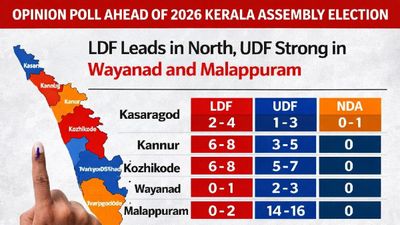 Opinion Poll For Kerala Assembly Election 2026: Ldf Strength In Kannur And Kasaragod
 -
 Tamil Nadu Polls 2026: Vijay Reveals Rs 645 Crore Assets, Rs 266 Crore in Banks; Know All His Declaration
 -
 Mumbai Metro Line 9 Set for April 3 Launch, Dahisar-Mira Bhayandar to Get Direct Boost
 -
 Trump Hints At Breakthrough With Iran Amid War Escalation, Calls Recent Move A ‘Sign Of Respect’
 -
 Rahul Arunoday Banerjee Autopsy Report: Actor Was Underwater For Over An Hour, Sand Found In Lungs
 -
 West Bengal Assembly elections: Election Commission transfers heads of 173 police stations
 -
 Delhi Weather Brings Relief: IMD Issues Yellow Alert For Rain, Thunderstorms And Gusty Winds; Check Forecast
 -
 Tamil Nadu Elections 2026: Vijay Files Nomination Same Day as MK Stalin, Sets Up Symbolic Political Face-Off
 -
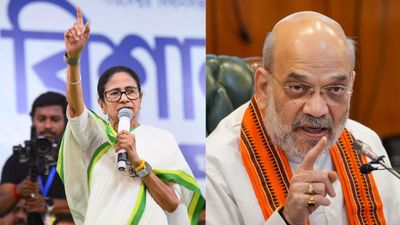 Too Close To Call? 57 Key Seats Could Decide West Bengal Election 2026 As TMC And BJP Gear Up For Tight Battle
 -
 Kim Jong Un Oversees New Solid-Fuel Missile Engine Test, Claims Capability To Reach US Mainland



 Click it and Unblock the Notifications
 Sign in with Google