


Global Outage: Crowdstrike Update Causes Widespread BSOD On Windows Systems – What Is The Workaround?


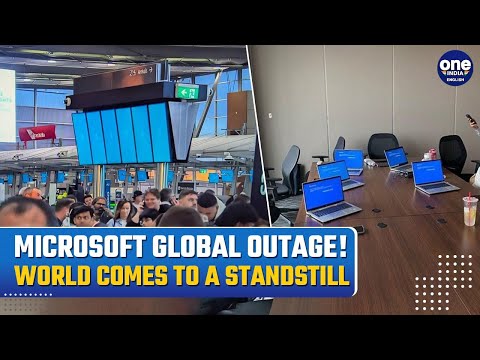
A recent update from Crowdstrike has globally affected Windows systems, causing the Blue Screen of Death (BSOD) to frequently appear and preventing users from completing their work. This technical issue has resulted in widespread frustration and disruption, as users encounter sudden system shutdowns or restarts.
Speaking to OneIndia, Infra team said,''When the BSOD appears, users are left with no option but to power down the system and restart it.''

The Onset of the Issue
The problems began at 6 p.m. Eastern Time (EST) when users across the globe started reporting the BSOD error. Microsoft has since launched an investigation into the issue, focusing on why the recent Crowdstrike update caused such widespread disruption to their cloud services. This glitch has not only affected individual users but has also caused damage to numerous apps and services associated with Windows.
Recommended Video
Microsoft's Response and Investigation
Microsoft's investigation aims to pinpoint the exact cause of the problem and provide a permanent fix. The company has assured users that they are working diligently to resolve the issue and restore normal functionality. In the meantime, they have recommended that users restart their systems if they encounter the BSOD, as Windows has the capability to pick up the new channel upon reboot.
- Boot Windows into Safe Mode or Windows Recovery Environment (WRE).
- Navigate to C:\Windows\System32\drivers\CrowdStrike.
- Locate and delete the file matching "C-00000291.sys."*
- Reboot normally.
- This workaround has reportedly helped some users resolve the BSOD issue, though caution is advised when attempting these steps.
It is essential to note that the OneIndia Team does not take responsibility for any damage caused by following these steps. Users are advised to exercise caution when attempting any workaround and ensure they backup their data before making any changes to their system.



 Click it and Unblock the Notifications
 Sign in with Google