


Tips to move Facebook albums, photos to Google+


Earlier we reported our hands-on review, steps to get Google+ Invite and Google Plus Tips & Tricks, now we like to share methods to move your photos from Facebook to Google+. It's obvious that many of us are still Facebook addicts, but want to shift to new Google platform. But our photos and connectivity with our friends through Facebook would be a barrier to do so. Now forget your worries - according to a latest report, Google+ will reach 20 million user mark in less than a week - that means it will become the fastest growing platform in the history. So, ask your friends to join Google+ Circles and just Hangout!
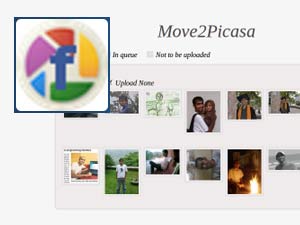
Probably, many of us will have thousands of photos in our Facebook account and we don't want to miss all those. Here comes the new 'Move2Picasa' app to help you move photos to Google+. With the help of the Move2Picasa app, developed by Pune-based web developer Aman Kumar Jain, you can easily move Facebook albums to Google Plus and then share it with your friends.
Move2Picasa is available in Chrome Webstore and can be downloaded as Google Chrome web browser plug-in. Download this free app using Chrome browser and the icon will appear on the right side of the address bar. Click the icon to transfer photo albums from Facebook to Google+. Read Tips to personalize Google+ URL.
The description of app in Chrome Web Store reads, "Move2Picasa helps you exports all your Facebook albums/photos to Picasa. After installing just click on the icon that appears right side of the address bar. It will upload photos to your logged in Picasa account. If your are not loggedin, you will have to login to Picasa to use this."
- How to move Photos from Facebook to Google+:
- Move2Picasa method - login to Move2Picasa app > download all photos > upload to Picasa > share it through Google+.
- Download from Facebook - Login to Facebook > Go to Account > Account settings > Download your information. Facebook will notify you when it got finished (it may take time, probably a day). Unzip the file and save. You can see photos in "Photos" folder.
- PickNZip.com method - It's another website to download your photos from Facebook. - Login > Click Download > Download all photos. This will download all your photos and will be in zip file. Unzip the file and upload to Google+.
Anyhow, some of the users reported errors while using Move2Picasa app. If you can wait a little more, you'll get more apps and tricks to upload your Facebook photos to Google+ as many app developers are working on various apps for the new platform. Stay tuned for more updates.
OneIndia News



 Click it and Unblock the Notifications
 Sign in with Google