


Women Go Crazy For AI Saree Pictures, Know How To Create Google Gemini AI Saree Pics; Steps


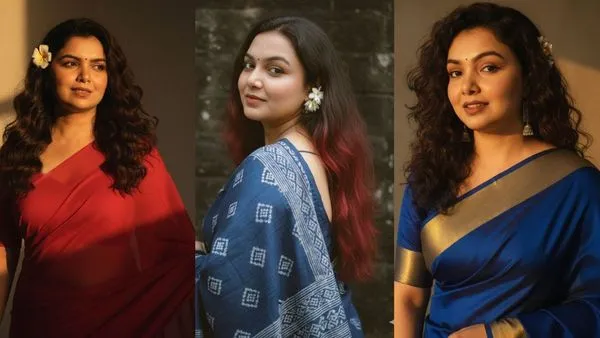
Creating an AI-generated portrait of an Indian woman in a saree used to require expert skills and advanced software. However, with the advent of AI tools like Google Gemini, this task has become accessible to everyone. Now, anyone can transform a regular photo into a realistic AI portrait for free. This article will guide you through the process by step.
To begin creating your portrait, visit the official Gemini website or download the app from the Play Store. This platform will serve as your workspace for generating the image. Ensure you have a clear and high-quality photo ready for upload.
AI-generated summary, reviewed by editors
Uploading Your Image
For optimal results, select a sharp and clear image. You can choose between a headshot or a full-body picture, depending on your preference for the saree portrait's appearance. Alongside the photo, you'll need to provide a text prompt.
Crafting Detailed Prompts
AI functions best with specific instructions. A detailed prompt is crucial for guiding Gemini to create your desired outcome. For instance, you might write: "Create a 4K realistic portrait of a young Indian woman with long, dark hair flowing over her shoulders. She wears an elegant red saree draped neatly over one shoulder, paired with a fitted blouse."
Generating and Refining Your Portrait
Once you've crafted your prompt, click Generate to view your portrait. If it doesn't meet your expectations, adjust the prompt details such as pose, saree color or drape style, background design, and lighting effects until you're satisfied with the result.
Exploring More Creative Prompts
The Nano Banana trend extends beyond saree portraits. Creators are experimenting with various artistic styles using prompts. Some recreate characters in classic 16-bit video game styles or design modern hologram-like figures using futuristic line art.
The Nano Banana Trend Explained
Nano Banana refers to a digital art style where small, polished 3D models are generated using AI. These designs are entirely AI-created and have gained popularity on platforms like Instagram and TikTok. Users transform everything from pets to celebrities into miniature collectible-style images.
AI has revolutionised digital creativity by making it more accessible than ever before. With tools like Google Gemini, you can design stunning portraits without needing professional editing skills. Whether you're interested in traditional attire or unique digital art styles, Gemini and the Nano Banana trend offer endless possibilities for creative exploration.



 Click it and Unblock the Notifications
 Sign in with Google