


Facebook Messenger App: How to use, Tips & Tricks


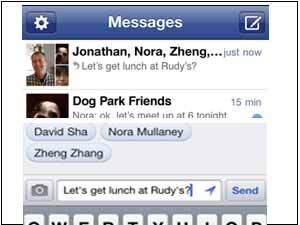
So you can start a conversation on www.facebook.com and continue it on mobile:
* If you send messages via Facebook Chat or Facebook Messages to friends when they"re away from their computers, they receive your messages right on their phones.
* If you"re on the go, messages your friends send on the web appear on your mobile device.
Does Messenger cost anything?
No. Messenger is a free download available in the iOS App Store and Android Market.
Can I message friends who aren"t using Messenger?
Yes. People who do not have Messenger on their mobile device will receive your messages as texts instead.
When I send a message to a contact's phone, what do they see?
Messages sent as texts include your message and a list of anyone else in the conversation. Recipients simply reply to message you and anyone else in the conversation.
Recipients also receive information about which text commands they can use to control what messages they receive.
How do I stop/start receiving messages as texts?
Simply reply:
MUTE to stop a conversation
UNMUTE to resume a conversation
STOP to never receive texts at this number again
ON to turn text messaging back on for this number
To manage your text messaging preferences for notifications and messages, go to Account > Account Settings > Mobile Settings.
Click PREVIOUS to see How to Start Chat on Facebook Messenger App
OneIndia News



 Click it and Unblock the Notifications
 Sign in with Google